
Most video production mistakes do not happen in the edit. They happen six weeks before the camera rolls — in a planning meeting where the wrong questions get asked, or skipped entirely. By the time the footage lands in an editor’s timeline, the damage is locked in. Understanding where things actually go wrong, and why, is what separates productions that deliver on their budgets from the ones that quietly go over.
This guide covers the real culprits: the decision-making errors, workflow gaps, and set-day habits that show up repeatedly across projects of every size. Each one is fixable once you know what to look for.
Pre-Production Mistakes That Doom the Shoot
Starting Without a Defined Goal
Vague intent produces vague video. One of the most common patterns in failing projects is pressing record before anyone has clearly defined why the video exists. Without a specific, measurable goal — more leads, explained product feature, trained staff — every downstream decision becomes a guess. The script loses focus, the shoot runs long, and the edit has no north star to navigate toward.
Before any other pre-production step, answer two questions in writing: What should a viewer do or feel differently after watching? and How will we measure whether that happened? Once those answers exist, every other choice — length, format, talent, locations — becomes significantly easier to make and defend.
Skipping the Shot List and Storyboard
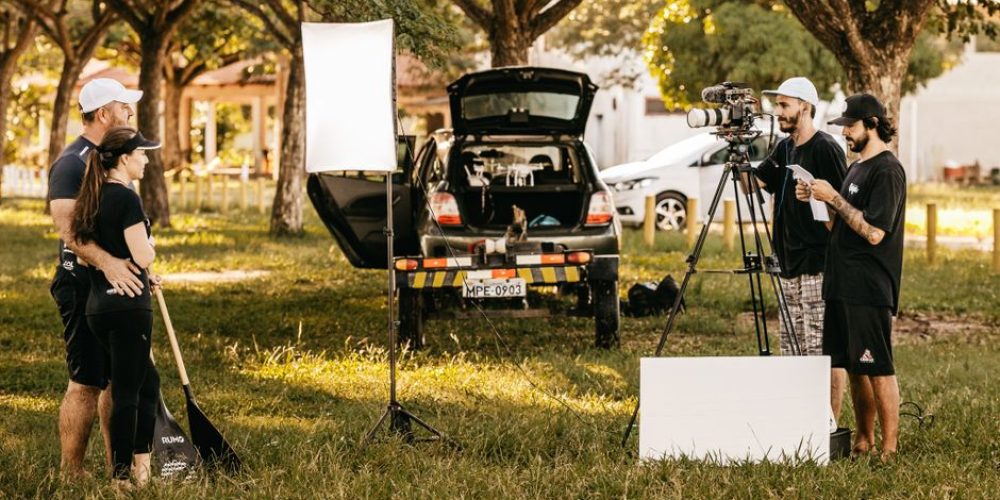
Arriving on location without a shot list is one of the fastest ways to waste a full shooting day. A shot list is not bureaucracy — it is the document that lets every crew member know what lens is going on the camera, what the setup order is, and how long each scene should realistically take. Productions that skip this step end up making those decisions on the clock, at location rates.
For every hour of filming, budget at least two to three hours of planning. Know which lens fits each shot, what the lighting setup will be, and who is responsible for each element before the first piece of gear leaves the van.
Under-Scripting Interview Subjects
Many businesses assume that a natural, conversational on-camera interview will automatically feel authentic. In practice, what feels spontaneous in a boardroom often reads as rambling and unfocused on a monitor. A script — or at minimum a tight talking-points document — does not make talent sound robotic. It shapes the message so there is a clear beginning, middle, and end, and ensures the call-to-action and key brand language are not accidentally left on the cutting-room floor.
Share questions with interview subjects in advance, but coach them not to memorize answers word-for-word. The goal is a speaker who thinks in full sentences, not one who recites paragraphs.
On-Set Mistakes That Create Post-Production Problems
Trusting “We’ll Fix It in Post”
This is arguably the most dangerous phrase in production. Assuming that software will cleanly erase a background hum, straighten a crooked horizon, or rescue a poorly lit subject is a gamble most editors would rather not take. The better approach: treat every detectable problem on set as a problem that must be solved on set. If a refrigerator is creating a 60Hz hum, unplug it. If the subject’s clothing is creating mic noise, address it before rolling.
Post-production tools are powerful, but they were built to refine footage — not to reconstruct it. Every minute spent fixing preventable on-set errors in the edit is a minute that could have been spent on color, pacing, or storytelling.
Neglecting Audio at the Source
Poor audio is the single most reliable way to make well-shot footage unwatchable. Viewers will tolerate imperfect visuals far longer than they will tolerate muffled dialogue, wind noise, or a hiss that runs under every line. Yet audio is consistently the element that gets under-resourced, especially on leaner productions that combine the camera operator and the sound recorder into one person.
- Monitor with headphones during the take — not just between takes.
- Use a dedicated external recorder rather than relying on in-camera audio.
- Record a minute of room tone at every location for use in the edit.
- Check levels actively — a clip that looks fine on a meter at -12dBFS can still have hidden noise at the noise floor.
Inconsistent White Balance Across Setups
Mismatched color temperatures between shots — a common result of changing light conditions or switching cameras without recalibrating white balance — create jarring inconsistencies that are time-consuming to fix in color grade. If you are shooting in a space with both tungsten practical lights and daylight coming through a window, you need to make a deliberate choice about which source is dominant and gel or flag accordingly. Do not leave that decision to the colorist.
Camera Height as an Afterthought
Setting the tripod at eye level for every single shot is a quiet but real creativity failure. Camera height is one of the cheapest tools in the kit: dropping to floor level for a hero perspective or raising to an overhead position for an establishing shot changes the emotional register of a scene at zero additional cost. Build intentional height and angle decisions into the shot list, not as a last-minute improvisation.
Post-Production Mistakes That Undercut Good Footage
Rushing the Edit
Post-production is routinely under-scheduled. Editing, sound design, color correction, and graphics all require dedicated time — and the first assembly cut is almost never the final answer. Treating the edit as a single pass rather than an iterative process leads to a finished product that feels incomplete or inconsistent, even when the footage itself is solid.
Build multiple review rounds into the project schedule from day one. Plan for at least one structural pass, one dialogue-and-pacing pass, and a final quality-control review of audio levels, color consistency, and motion graphics before delivery.
Over-Complicating the Visual Style
Heavy transitions, excessive motion graphics, and stacked effects are tempting in editing software but frequently weaken the final product. Effects should clarify or reinforce the story — not decorate it. A well-motivated cut between two complementary angles almost always lands better than an elaborate wipe or spin transition. Audit every effect and ask whether it serves the viewer or just the editor’s enthusiasm.
No Clear Call-to-Action
A video that ends without telling viewers what to do next has failed its primary business function, regardless of how well it is shot or edited. The call-to-action does not need to be heavy-handed. It does need to be visible, specific, and given enough screen time — a minimum of five to eight seconds — for a viewer to actually read and respond to it. Design the ending of every video with the same intention you bring to the opening.
Distribution Mistakes That Waste Good Work
One File Across All Platforms
Publishing the same 16:9 export to every platform treats fundamentally different viewing environments as identical. A corporate explainer cut for a website homepage will not perform the same way on a mobile-first feed. Aspect ratio, caption strategy, and pacing all need to be reconsidered for each destination. At minimum, plan separate exports for horizontal and vertical orientations, and adjust subtitles and lower-thirds placement accordingly.
Ignoring Performance Data
Producing a video and never reviewing its analytics is like running a campaign with no measurement plan. Watch-time curves, audience drop-off points, and click-through rates tell you exactly where the video is working and where it is losing people. That information directly improves the next production. Build a post-launch review into every project so those numbers actually influence future decisions.
The One Pattern Behind Most of These Mistakes
Most video production mistakes share a root cause: decisions that belonged in pre-production were deferred to production, and decisions that belonged in production were deferred to post. Every phase of a well-run production is partly about protecting the phase that comes after it. When planning is solid, the shoot is efficient. When the shoot is disciplined, the edit is faster. When the edit is structured, the launch performs better.
That discipline is a learned habit, not a natural talent. The teams that make fewer mistakes on shoot fifteen than on shoot one are the ones who built deliberate review processes after every project and actually changed their approach based on what they found.
If you are producing video for a business and want to skip the learning curve, a professional team handles all of these decisions by default — from pre-production planning through final delivery. Tone Production’s New Orleans team, for example, builds shot lists, manages location audio, and delivers platform-specific exports as standard workflow steps. The same full-pipeline approach is available through the Houston office, the Atlanta team, and every other market Tone Production serves — with Benjamin Tone personally leading each engagement to make sure none of these common errors make it into the final product.
Frequently Asked Questions
What is the most common mistake in video production?
The most common mistake is skipping or rushing pre-production — starting to film before a clear goal, shot list, and script are in place. Without that foundation, every downstream phase (the shoot, the edit, and the launch) inherits the problems that planning was supposed to prevent.
Can bad audio ruin a good video?
Yes. Viewers will tolerate imperfect visuals far more readily than they will tolerate muffled dialogue, hiss, or wind noise. Poor audio is one of the fastest ways to make professionally shot footage unwatchable, and it is one of the most under-resourced elements on leaner productions.
What does “fix it in post” actually cost you?
Attempting to fix on-set problems in post-production costs edit time, often degrades quality compared to a clean on-set fix, and can create secondary problems — for example, noise reduction that also softens dialogue. Some issues, like a washed-out sky or a recorded hum embedded in dialogue, cannot be fully recovered no matter what software is used.
How long should a corporate video be?
Length should follow the content, not a preset rule. That said, research consistently shows viewer attention drops significantly after the two-minute mark for online marketing videos. A focused 90-second video with a single clear message will outperform a sprawling five-minute one that tries to cover everything. Let your defined goal determine the length.
Do you need a different edit for every social platform?
Yes, at minimum you need separate aspect ratios — 16:9 for YouTube and websites, 9:16 for Reels and TikTok, and 1:1 for LinkedIn and Facebook feeds. Beyond aspect ratio, pacing, subtitle placement, and opening hooks often need platform-specific adjustments to perform well in each environment.
How many review rounds should a video edit go through?
A well-managed edit typically requires at least three structured review rounds: one for overall structure and story, one for dialogue pacing and audio levels, and one final quality-control pass covering color consistency, motion graphics, and delivery specs. Skipping review rounds is one of the most common causes of a video that feels unfinished at launch.
What is the biggest mistake businesses make when distributing video?
Publishing a single file across all platforms without optimizing for each destination. This ignores fundamentally different aspect ratios, viewing behaviors, and caption requirements. A video that performs well on a website homepage may completely fail on a mobile-first social feed if the framing, pacing, and subtitle strategy haven’t been adjusted.