
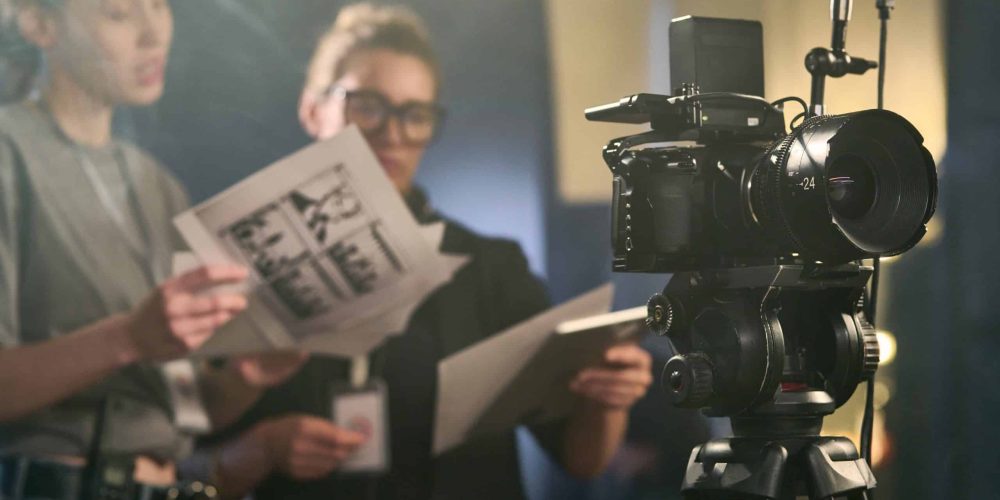
Why Stabilization Makes or Breaks Run-and-Gun Video
Run-and-gun shooting — following action as it unfolds, with minimal crew and zero time to reset — is one of the most technically demanding environments in video production. Shaky footage is the fastest way to undermine otherwise compelling content. Whether you’re covering a live event, shooting a corporate documentary, or capturing breaking B-roll, your stabilization solution directly determines whether your footage looks professional or amateur.
In-body image stabilization (IBIS) helps, but it has clear limits. IBIS corrects micro-vibration at the sensor level, but it cannot compensate for the large-amplitude movement of a person walking or tracking a moving subject. On longer walking sequences, the absence of a gimbal is plainly visible in the final edit. The most effective approach is to run IBIS and a gimbal together — they complement rather than compete with each other.
A 3-axis motorized gimbal uses intelligent sensors and brushless motors to counteract unwanted camera movement across pitch (up/down), roll (side tilt), and yaw (left/right rotation) in real time. The result is that floating, cinematic glide that instantly separates polished production work from casual video. For any serious run-and-gun workflow, a gimbal is no longer optional — it’s foundational gear.
What to Look for in a Run-and-Gun Gimbal
Not every gimbal is optimized for fast, mobile shooting. Here are the criteria that matter most when the pace is high and setup time is measured in seconds.
Weight and Packability
If you’re working across multiple locations in a single day, total kit weight compounds fast. A gimbal that folds flat and fits inside a backpack without a dedicated case is a genuine operational advantage. Compare folded dimensions against your kit bag before purchasing, not just the shooting-mode footprint.
Payload Capacity vs. Actual Camera Weight
This is one of the most common buyer mistakes. Always account for your full rig weight — camera body, lens, follow-focus, external monitor, and any accessories — not just the camera body alone. Pushing a gimbal to its rated payload ceiling degrades motor performance and accelerates wear. A practical rule: your rig should sit at no more than 80% of the gimbal’s rated maximum.
Speed of Setup and Balance
A gimbal that takes 10 minutes to balance is a liability on a fast shoot. Look for models with tool-free axis adjustments, fine-tuning knobs on each arm, and auto-tune features that calibrate motor power to your specific camera weight. Quick-release plates compatible with Arca-Swiss or Manfrotto standards also dramatically speed up transitions between tripod and gimbal operation.
Battery Life and Charging
Run-and-gun days routinely run 8–12 hours. A gimbal that dies at hour five creates real production risk. Target a minimum of 10–12 hours of rated battery life, and favor models that charge via USB-C — this lets you top up from a power bank mid-shoot without carrying proprietary chargers.
Operating Modes and Intelligent Features
Modern gimbals offer modes far beyond basic stabilization. Subject tracking, face detection, follow mode, and sport mode all have legitimate run-and-gun applications. Sport mode in particular tightens the follow speed so the gimbal keeps up with rapid pans without the characteristic lag that makes slow follow modes look passive.
Top Gimbal Categories for Run-and-Gun Production
Compact Mirrorless Gimbals (Under 4 lb Payloads)
This is the sweet spot for most run-and-gun videographers. The DJI RS 3 Mini is a standout in this category. Its compact size and light carry weight make it genuinely practical for all-day mobile shoots — airports, hallways, outdoor locations — without fatigue. The 2 kg payload limit means it’s best paired with compact zooms or prime lenses on crop-sensor or lighter full-frame bodies. Push past that limit with cinema glass and you’ll want to move up the line.
The Zhiyun Weebill 4 competes directly here and has earned a strong following among travel and wedding filmmakers. It offers fast auto-tune that calibrates motor power to camera weight, an upgraded wrist support design for extended comfort, and a payload that handles most full-frame mirrorless setups when lenses are kept reasonably light. Its underslung grip mode is particularly useful for low-angle shots that would otherwise require crouching.
Mid-Range Gimbals for Full-Frame Rigs (Up to ~10 lb Payloads)
When you’re running a full-frame mirrorless body with a 24–70mm f/2.8 or similar zoom, a small-payload gimbal will struggle. The DJI RS 4 and Zhiyun Weebill 3S both serve this tier well. In real-world testing with a Sony A7 III and standard zoom, the Weebill 3S handled the combination confidently — the footage delivered a cinematic glide that would otherwise require far bulkier equipment. The RS 4 adds DJI’s LiDAR autofocus integration and Bluetooth camera control, which can be genuinely useful when you’re operating solo.
At this level, look for gimbals with a dedicated OLED display or touchscreen for mode switching without pulling out your phone, and a sling/underslung grip that allows angle adjustment between high-angle crowd shots and low-angle dramatic frames without regripping entirely.
Heavy-Duty Gimbals for Cinema Cameras
If your run-and-gun rig involves a Blackmagic Cinema Camera, Sony FX6, or a body with a large cine lens, you’ll need a gimbal designed for payloads in the 10–15 lb range. Options in this category typically require a dual-handle or vest-assist configuration for extended use — true one-handed operation at this weight class is rarely practical for a full day. These are not “grab and go” tools in the same sense, but they’re the right choice when image quality demands a heavier system.
Shoulder Rigs: The Non-Motorized Alternative
A shoulder rig deserves mention as a legitimate stabilization option for run-and-gun work, particularly in documentary and news contexts. By transferring camera weight to the shoulder and using the body as a third contact point, a well-fitted shoulder rig delivers stable, organic motion with zero battery dependency. The trade-off is bulk and a different movement aesthetic — shoulder-rig footage has a distinctive kinetic energy that a gimbal’s float does not. Many professional crews carry both and switch based on the scene.
Pro Workflow Tips for Gimbal Operation in the Field
Balance First, Every Time
A poorly balanced gimbal works harder, drains faster, and stabilizes worse. Invest 3–5 minutes balancing properly before each shoot, especially if you’ve swapped lenses or accessories. A well-balanced gimbal running at low motor strength will always outperform an unbalanced gimbal maxing out its motors.
Combine Gimbal with Good Body Mechanics
A gimbal corrects motor-level movement, but large body jolts — footfalls, stairs, sudden direction changes — still transfer through your arms. Bend your knees slightly, walk heel-to-toe, and keep your elbows tucked. The gimbal handles the fine correction; your body handles the gross movement. The two together produce results that neither achieves alone.
Use the Right Mode for the Situation
Most operators default to Follow mode for everything, but selective mode use sharpens your footage significantly. Lock mode for architectural walkthroughs and interviews-in-motion. Pan Follow for lateral tracking. Sport mode when subjects are moving unpredictably fast. POV mode for intentionally immersive, first-person sequences.
Plan for Accessories
A cold shoe mounted on your gimbal’s body opens up attachment options for on-camera audio and a small LED fill light — both of which become critical when you’re operating without a dedicated sound or lighting crew. Having fill light built into or mounted directly to the gimbal eliminates the need for extra light stands in tight shooting spaces. At fast-paced production engagements handled by crews like those at Tone Production in New Orleans or Atlanta, this kind of lean-rig thinking directly reduces setup time and increases shooting coverage.
Gimbal vs. Software Stabilization: Know the Difference
Software stabilization tools like Premiere Pro’s Warp Stabilizer and DaVinci Resolve’s built-in stabilizer can rescue mildly shaky footage — but they come at a cost. Every software stabilization pass applies a crop factor, reducing your field of view, and introduces processing time into post. More critically, software stabilization cannot recover intentional camera direction or reproduce the organic quality of a well-operated gimbal. Shoot stable in the field; use software stabilization as a last resort, not a first plan.
For productions where final delivery includes video SEO assets and platform-optimized cuts — a standard deliverable in professional workflows like those managed at Tone Production — clean, stabilized source footage also dramatically reduces post-production time, which has a direct impact on turnaround and budget. Teams operating in markets like Houston, Tampa, and Jacksonville regularly cite on-location efficiency as a top client priority.
Building a Run-and-Gun Kit Around Your Gimbal
Your gimbal doesn’t work in isolation. The most effective run-and-gun rigs treat the stabilizer as the anchor and build outward from there:
- Camera body with IBIS: Pairing IBIS with a motorized gimbal yields the best combined stabilization result.
- Compact zoom lens: A 24–70mm equivalent covers most run-and-gun scenarios without overloading payload capacity.
- On-gimbal audio: A compact shotgun microphone on a cold shoe adapter keeps your audio source close to the lens axis.
- Small LED panel: A pocket-sized bi-color LED mounted to the gimbal’s accessory shoe provides quick fill without extra stands.
- Fast-access battery system: At least two spare camera batteries and a fully charged gimbal battery before every shooting day.
- Universal quick-release plate: Arca-Swiss compatibility lets you move the camera between gimbal, tripod, and monopod without re-threading.
The goal of a run-and-gun kit is to eliminate friction between you and the shot. Every accessory that requires a second operator, a separate bag, or more than 30 seconds to deploy works against that goal. Keep the rig minimal, keep it balanced, and let the gimbal do what it was engineered for.
If your production demands are beyond a solo DIY setup — complex events, multi-camera documentary work, or branded content that needs to perform commercially — working with an experienced crew changes the equation entirely. Tone Production in Baton Rouge and Birmingham are examples of markets where Benjamin Tone leads engagements personally, bringing professional-grade stabilization and a full cinema workflow to every project. If you’d rather focus on your subject than your gear, that’s exactly what a professional production partner is for.
Frequently Asked Questions
What is run-and-gun shooting?
Run-and-gun shooting refers to a fast-paced, highly mobile style of video production where the camera operator follows action as it happens with minimal crew, no rehearsal, and little to no setup time. It’s common in documentary, news, event coverage, and corporate video work.
Do I still need a gimbal if my camera has IBIS?
Yes, in most cases. In-body image stabilization (IBIS) corrects micro-vibration at the sensor level but cannot compensate for the large body movements that happen during walking, running, or tracking fast subjects. A gimbal handles those larger-amplitude corrections. Running both together produces the best results.
What payload capacity do I actually need?
Calculate your full rig weight — camera body, lens, any external monitor, microphone, and accessories — and target a gimbal rated for at least 25% more than that total. Running a gimbal at or near its maximum payload degrades motor performance and shortens the motor life.
How long should a gimbal battery last for a full shoot day?
For a full production day, target a minimum of 10–12 hours of rated battery life. Keep in mind that rated life is typically measured under ideal conditions; heavy motor use (large payloads, aggressive tracking) will reduce it. A USB-C charged gimbal allows mid-day top-ups from a power bank.
Is a shoulder rig better than a gimbal for documentary work?
It depends on the aesthetic goal. A shoulder rig transfers camera weight to the shoulder for stable, organic-feeling footage with a kinetic energy that’s common in documentary style. A gimbal delivers a smoother, more “floating” cinematic look. Many professional documentary crews carry both and choose based on the emotional tone of the scene.
Can software stabilization replace a gimbal in post-production?
No — software stabilization (such as Premiere Pro’s Warp Stabilizer or DaVinci Resolve’s built-in tool) can reduce mild shakiness, but it applies a crop to your image, introduces processing overhead, and cannot replicate the organic quality of a properly operated gimbal. Always prioritize stable capture in the field.
What is the best gimbal mode for tracking a fast-moving subject?
Sport mode tightens the gimbal’s follow speed so it responds quickly to rapid directional changes without the lag of standard Follow mode. It’s ideal for tracking athletes, subjects walking quickly through crowds, or any situation where the subject changes direction unpredictably.
How do I balance a gimbal quickly on a busy shoot?
Start with the tilt axis, then the roll axis, then the pan axis. A properly balanced gimbal should hold its position when the motors are off. Use fine-tuning knobs if available rather than repositioning the plate repeatedly. Running auto-tune after manual balance takes about 30 seconds on most modern gimbals and ensures motor strength is calibrated to the exact rig weight.
Atlanta Video Production Company: 6 Reliable Studios for Brand Video in 2026
Scottsdale Videographers: 6 Reliable Crews for Cinematic Brand Video
New Orleans Videographers: 6 Go-To Crews for Brand Video in 2026