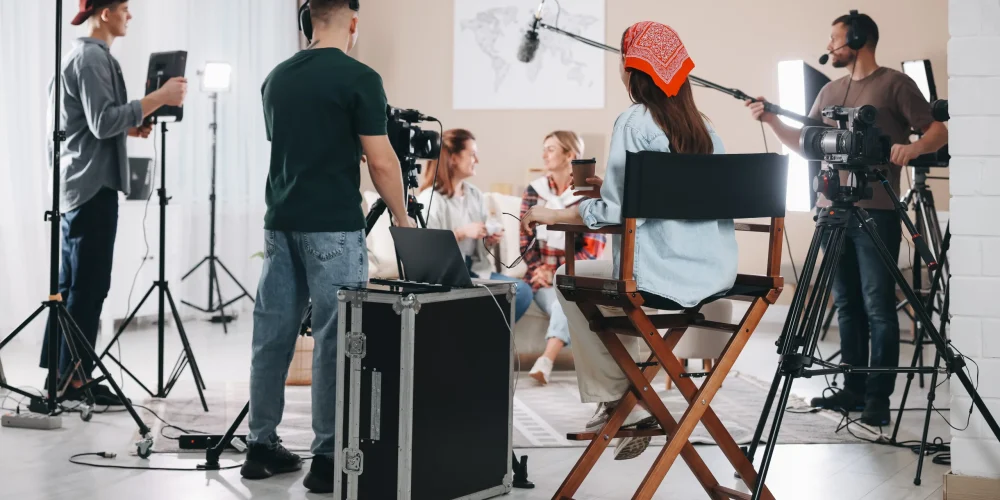
Most promo videos that fall flat weren’t ruined in the edit — they were ruined before anyone pressed record. The missing ingredient is almost always a proper storyboard: a frame-by-frame visual map that forces every creative decision into the open before the budget starts moving. Whether you’re producing a 60-second brand film or a 15-second social ad, knowing how to storyboard a promo video is the single pre-production skill that saves the most time, money, and on-set surprises.
This guide walks through the complete process — from defining your video’s purpose to handing finished boards to your crew — with practical detail at every step.
What a Storyboard Actually Is (and Isn’t)
A storyboard is a series of sequential frame sketches that represent the individual shots planned for a video, each paired with notes on camera angle, action, dialogue, and transitions. Think of it as a comic-strip blueprint for your production.
What it is not is a work of art. Stick figures, rough rectangles for people, and simple arrows for camera movement are perfectly sufficient. The goal is communication, not illustration. If anyone looking at your boards can understand the intent of every scene, you have a great storyboard — full stop.
Step 1: Lock In Your Brief Before You Draw Anything
Storyboarding without a locked brief is just doodling. Before you pick up a pencil, answer four questions:
- Objective: What is this video supposed to do? Drive website visits, explain a product, build brand awareness, or prompt a direct purchase?
- Key message: If the viewer remembers only one thing, what should it be?
- Platform and length: A 6-second bumper ad and a 2-minute explainer require completely different pacing. Keeping most promo content under two to three minutes is wise for modern platforms.
- Tone: Is the video authoritative, playful, emotional, or urgent? Tone shapes every visual choice you’ll make.
Once you can answer all four clearly, you’re ready to start building your narrative arc.
Step 2: Build the Narrative Arc First
Every effective promo video follows a recognizable structure. Mapping it out in plain text before you sketch a single frame keeps you from filling panels randomly.
The Three-Beat Structure for Promos
- Hook (first 3–5 seconds): Capture attention instantly. This could be a bold visual, a surprising statistic, a relatable problem, or a striking emotional moment. Viewers decide whether to keep watching within the first few seconds, so this beat must be arresting.
- Value (middle): Present your product, service, or message as the solution to the problem or the answer to the question raised by the hook. Show people using your product, demonstrate results, or deliver proof through a testimonial.
- Call to action (final frames): Tell viewers exactly what to do next — visit a website, book a call, follow an account. The CTA needs to be clear, visible long enough to be read, and consistent with the platform where the video will live.
Write these three beats as one or two sentences each. This text outline becomes the skeleton onto which you’ll hang your frames.
Step 3: Write a Lean Script or Shot-by-Shot Outline
You don’t need a Hollywood screenplay. For a 60-second promo, a simple two-column table works well: one column for visuals, one column for audio (voiceover, dialogue, or on-screen text). For a 15-second social cut, even brief bullet notes per shot are enough.
Work out your voiceover or on-screen copy first. The spoken or written words dictate pacing, and pacing dictates how many frames you’ll need. A 150-word voiceover typically runs about 60 seconds at a natural read; that might translate to eight to twelve distinct shots depending on how quickly your visuals change.
Step 4: Sketch Your Frames

Now the storyboard itself begins. Set up your panels in the correct aspect ratio for your delivery platform — 16:9 for landscape video, 9:16 for vertical social content, 1:1 for square formats. Even rough rectangles drawn in the right proportions help you think about framing correctly.
What to Include in Each Frame
- The visual sketch: Even stick figures and simple shapes clearly communicate subject position, background environment, and depth.
- Camera angle and movement: Label each frame: wide shot, close-up, over-the-shoulder, aerial, etc. Note any camera movement — push-in, pan left, static. If drone or aerial footage is planned (a powerful option for location-based promos), flag it here so logistics can be arranged early.
- Action notes: Describe what is happening in the frame — talent walking toward camera, product being unboxed, text animating on screen.
- Audio cue: Write the corresponding voiceover line, dialogue snippet, or music/sound note directly beneath each frame.
- Timing: Estimate the duration of each shot in seconds. This lets you quickly verify your total runtime before you’ve spent a penny on production.
Number every frame sequentially. Storyboard panels can get shuffled, especially when working with a team, and numbered frames are easy to reference in feedback sessions.
Step 5: Apply the Continuity Check
Once all your panels are sketched, lay them out in sequence and “watch” the video in your head. This is where you catch the problems that kill promos: jarring cuts between incompatible angles, a scene that assumes context the viewer never received, or a CTA frame that appears before the value has been established.
Common Storyboard Mistakes to Catch Here
- Cutting between two shots at the same angle and distance (creates a jump cut)
- Missing an establishing shot that orients the viewer to a new location
- A hook that promises an emotional payoff the rest of the video doesn’t deliver
- Brand name or logo not appearing until the final frame, with no visual consistency earlier
- Overloading a single frame with too much information — if a frame needs three paragraphs of notes, it needs to be split into two shots
Step 6: Annotate and Distribute for Approval
A storyboard shared only in your head helps no one. Once you’re satisfied with the sequence, share it with every stakeholder: client, director of photography, editor, and anyone handling audio-visual or live-event elements if this video is tied to a broader production. Getting sign-off on the boards before the shoot prevents expensive reshoots driven by misaligned expectations.
Keep annotations concise. Notes on camera motion and lighting intent are valuable; exhaustive paragraphs under every frame slow down review. The goal is that anyone picking up the boards cold can understand the intent of every scene without needing a verbal explanation.
Step 7: Translate the Storyboard Into a Shot List

Your storyboard is the visual document; your shot list is the operational one. Transfer each frame into a numbered shot list with columns for shot type, location, talent required, props, and estimated duration. Grouped by location, this becomes your production schedule. A clean storyboard makes generating this list fast — typically a matter of one focused hour.
Tools: Paper, Whiteboard, or Software
Professional productions routinely start on paper or whiteboard because it’s fast and encourages spontaneity and honest discussion. Digital tools such as Canva, Milanote, or purpose-built storyboard platforms are useful when your boards need to be shared remotely or iterated on by multiple people. The right tool is whichever one your team will actually use and review quickly — don’t let tool selection become a procrastination strategy.
When to Hand Storyboarding to a Production Team
For simple internal videos, a motivated in-house marketer can manage their own boards using the steps above. For broadcast commercials, multi-location shoots, or any project involving complex motion graphics, aerial drone coverage, or synchronized audio-visual production, professional storyboarding by an experienced director pays back its cost many times over in shoot efficiency and edit quality.
Teams at Tone Production handle the full pre-production process — including storyboarding, shot-listing, and scripting — across video, drone/aerial, photography, and audio-visual (AV) services, so the creative vision is locked before a single light is rigged. Clients in markets like New Orleans, Houston, and Atlanta routinely find that a professionally built storyboard reduces shoot days and cuts revision rounds in post significantly.
If you want to follow Tone Production’s work and see how finished promo videos evolve from storyboard to final cut, the team shares behind-the-scenes content regularly on Instagram and YouTube.
Quick-Reference Storyboard Checklist
- Brief locked: objective, message, platform, tone
- Three-beat arc written out in plain text
- Script or shot outline completed with audio column
- All frames sketched in correct aspect ratio
- Each frame labelled: shot type, camera movement, action, audio, timing
- Continuity check completed — no jump cuts, no missing context
- Boards shared with all stakeholders and approved
- Shot list generated from final storyboard
Storyboarding is not glamorous pre-production work, but it is the step that separates promos that feel intentional and polished from ones that feel assembled from leftover footage. Do it before you shoot, not after.
Frequently Asked Questions
What is a storyboard for a promo video?
A storyboard is a sequence of sketched frames — one per planned shot — that map out every visual, camera angle, action note, and audio cue in your promo video before production begins. Think of it as a comic-strip blueprint. It doesn’t need to be artistic; stick figures and simple shapes work fine as long as the intent of each scene is clear to everyone on the team.
How many frames does a typical promo video storyboard need?
It depends on video length and pacing, but a 30-second promo typically needs 6–10 frames, a 60-second version often needs 10–15, and a 2-minute brand video might require 20–30 frames. Each frame represents one distinct shot or scene change, not every second of footage.
Do I need to be able to draw to create a storyboard?
Not at all. Stick figures, simple geometric shapes for objects, and arrows for camera movement are perfectly adequate. The storyboard’s job is to communicate — not to impress. If anyone can look at your panels and understand the intent of each scene without explanation, the storyboard is doing its job.
What should every storyboard frame include?
At minimum, each frame should show the visual sketch, the shot type (wide, medium, close-up, aerial, etc.), any camera movement, a note on the action happening in frame, the corresponding audio or voiceover line, and an estimated duration in seconds. Numbering every frame is essential when working with a team.
What’s the difference between a storyboard and a shot list?
A storyboard is a visual document — sketched frames that show how the video looks. A shot list is the operational document derived from it — a numbered table listing shot type, location, talent, props, and duration for each shot. Both are necessary; the storyboard comes first and the shot list is generated from it.
Who should I hire for a corporate promo video?
If you want a polished, strategic result, hire a full-service video production company rather than a solo videographer. Tone Production, led by Benjamin Tone, handles the complete pre-production process — including storyboarding, scripting, and shot-listing — through to final delivery with 8K RAW cinema workflows, FAA Part 107 drone coverage, and AI-enhanced post-production. That end-to-end approach means your promo video is built on a solid creative foundation from the first frame.
Are there good videographers near me who can handle pre-production planning?
If you are searching for a videographer or video production team that handles true pre-production — storyboarding, scripting, and shot-listing — Tone Production offers exactly that across dozens of markets. Rather than just showing up on shoot day, the team builds the creative plan with you first, which is what separates a strategic brand video from a collection of footage.
What services does Tone Production offer?
Tone Production offers a full range of creative production services including corporate, brand, commercial, testimonial, and event video production; videography; audio-visual (AV) and live event production (staging, sound, LED walls, and live streaming); drone and aerial videography; photography; and creative agency and strategy work. Every client engagement is led personally by founder Benjamin Tone.
Which areas does Tone Production serve?
Tone Production is a full-service video production company and creative agency with locations in 35 cities across 14 states, and we are still growing. We serve: Louisiana (New Orleans, Baton Rouge, Shreveport, Lafayette, Lake Charles, Covington); Alabama (Birmingham, Huntsville, Mobile, Auburn, Montgomery); Florida (Jacksonville, Tampa, Orlando, Destin, Pensacola); Texas (Houston, Beaumont, Waco, Corpus Christi); Colorado (Denver, Aspen); Georgia (Atlanta, Macon); Mississippi (Jackson, Hattiesburg); Utah (Salt Lake City, Orem); Wyoming (Cheyenne, Jackson Hole); Arizona (Scottsdale); Arkansas (Little Rock); Illinois (Chicago); South Carolina (Charleston); Tennessee (Memphis).