
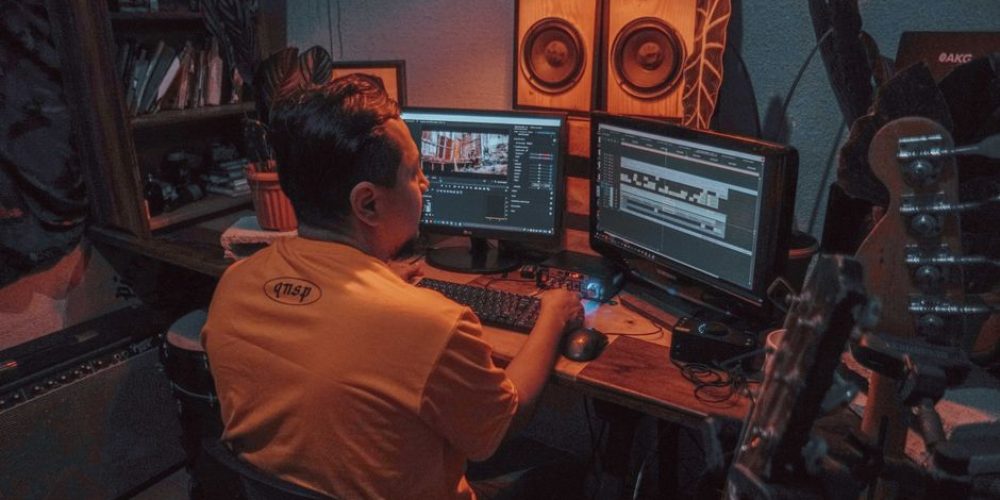
Music is the emotional engine of every great video. It shapes mood, pacing, and brand perception in ways that even the finest cinematography cannot achieve alone. But pick the wrong track — one you don’t have the rights to — and a platform’s automated systems can mute your audio, strip your ad revenue, block the video entirely, or trigger a formal strike against your channel. Music licensing for video is not optional fine print; it’s a core production skill. This guide breaks down the licensing landscape clearly, so you can make smart choices before you hit export.
Claims vs. Strikes: Understanding What You’re Actually Risking
Many creators conflate copyright claims with copyright strikes. They are fundamentally different, and mixing them up leads to bad decisions under pressure.
Content ID Claims
Professional video producers need to understand that YouTube’s Content ID system automatically scans every uploaded video against a database of registered music, video, and audio assets. When a match is found, the rights holder — not YouTube — decides what happens next. They can monetize your video by running their own ads on it, restrict it in certain countries, or block it entirely. A Content ID claim is not a channel penalty on its own; it’s a rights enforcement tool.
Copyright Strikes
A copyright strike is a formal DMCA takedown request submitted by a rights holder, not an automated system. It removes the video and marks your channel. The escalation is severe: your channel can be permanently terminated if you receive three strikes within 90 days. Linked channels are also at risk. A strike is not resolved by deleting the video — in most cases, deletion after the fact does not remove the strike from your record.
The critical myth to dispel: writing “no copyright intended” in your description, crediting the artist, or buying a song on iTunes does not grant you a license and will not prevent a claim or strike. Rights holders and platforms have made this explicitly clear.
The Music Licensing Landscape: Every Option Explained
There is no single right answer for every project. The best choice depends on your budget, distribution platforms, and how the finished video will be used — commercially, editorially, or internally.
Subscription Licensing Libraries
Platforms like Artlist, Epidemic Sound, Soundstripe, and Musicbed offer large catalogs of high-quality tracks under annual subscription models. You pay once per year, and your license generally covers any video you create during that period across specified platforms. These are the go-to solution for most working video producers because the music is pre-cleared for Content ID, and disputes — when they happen — are resolved by the platform, not by you scrambling for paperwork.
- Artlist: Flat annual fee; covers unlimited projects with a broad commercial license, including films and social media.
- Epidemic Sound: Monthly or annual plans; strong catalog and fast Content ID whitelisting, popular with YouTubers and agencies.
- Musicbed: Skews toward cinematic and premium tracks; licensing tiers vary by project type and distribution.
- Soundstripe: Unlimited downloads; good for teams producing high volumes of content.
Even within these services, read the license terms for each track. Some licenses don’t cover broadcast TV, film festival screenings, or podcast use. Using a track outside its license terms can still get your video flagged.
YouTube Audio Library
YouTube provides a free Audio Library of music and sound effects that creators can use in monetized videos. These tracks are specifically cleared for YouTube. However, check attribution requirements before publishing — some free tracks require a credit line in the video description, and omitting it can trigger a claim even though the music is “free.”
Creative Commons Music
Creative Commons (CC) licenses allow artists to share music with defined usage permissions. The license type matters enormously. A CC BY track requires attribution. A CC BY-NC track prohibits commercial use — meaning it cannot legally appear in a client deliverable or a monetized video. Some Creative Commons tracks may restrict commercial use or require direct links back to the original creator, so never assume all CC music is cleared for commercial video production.
Sync Licensing (Direct)
A sync license grants you the right to synchronize a specific piece of music with your video. For well-known commercial tracks, this typically involves negotiating with both the music publisher (who controls the composition) and the record label (who controls the master recording). Sync licensing for major artists is expensive, slow, and often impractical for independent producers or content marketing budgets. It’s the right route for high-budget brand campaigns, broadcast commercials, or theatrical releases — not for weekly social content.
Custom Composition
For brands that want a completely unique sonic identity, commissioning an original score is the cleanest copyright solution. Custom music gives you full ownership or exclusive rights, depending on the agreement you negotiate with the composer. There are no Content ID flags, no platform conflicts, and no renewal headaches. The investment is higher upfront, but for ongoing brand video programs it often pays for itself by eliminating licensing friction and creating a distinctive audio brand.
Platform-Specific Considerations
Licensing that is safe on one platform may be restricted on another. Before you finalize any music choice, map your distribution destinations and verify your license covers each one.
YouTube
Content ID is the dominant enforcement mechanism. Even with a valid license, you may receive an automated claim if the track is registered in Content ID. Upload proof of license promptly and dispute the claim with documentation. Most reputable licensing services provide a license certificate for exactly this purpose. Keep a folder per project with the track file, license document, and purchase receipt.
Instagram, Facebook, and TikTok
Meta platforms have negotiated their own music licensing deals and offer licensed music through their native audio tools for organic posts. However, those licenses do not extend to paid advertising. If your video becomes a paid ad — even a boosted post — you need a separate commercial sync license for any music used. Many creators are caught off guard when a video they posted organically gets flagged the moment they boost it. Producers working on social campaigns, including Houston-area brand content or Atlanta marketing videos, should confirm their music license explicitly covers paid media before running any dollars.
Broadcast and OTT
Television, streaming platforms, and digital-out-of-home require a master use license and a sync license, plus potentially a performing rights organization (PRO) license for public performance. This is specialized territory — if your video is headed to broadcast, involve a music supervisor or entertainment lawyer early in the process.
Practical Workflow: How to Stay Copyright-Safe on Every Project
The habits that prevent copyright problems are simple. The challenge is building them into your production workflow so they happen automatically, not as an afterthought.
- License before you edit. Don’t temp-track with a commercial song and fall in love with it. Source music from your licensed library from day one of post.
- Save every license document. Store the license, the track file, and the purchase receipt together in your project folder. You’ll need this if a Content ID dispute arises six months after delivery.
- Audit old content periodically. Music catalog ownership changes hands. A track you legitimately licensed can generate new claims if its rights are acquired by an aggressive new publisher. Review older videos for unexpected claim activity.
- Never assume short clips are safe. There is no legally defined “safe” duration threshold for unlicensed music. Even a few seconds of a recognizable song can trigger a Content ID match or a formal strike.
- Upload unlisted first on YouTube. Uploading as “unlisted” lets Content ID scan the file before you publish, giving you a chance to upload license verification or swap the track before your audience sees any claim notices.
- Educate every editor on your team. If you collaborate with editors or marketers, ensure everyone understands proper licensing procedures to avoid accidental misuse.
Matching Music to the Edit: Creative Considerations
Beyond legality, music selection is a craft decision. The right track supports your story without announcing itself; the wrong one distracts or undermines tone. A few practical principles:
- Match energy to pacing, not genre to subject. A slow documentary about a fast industry can use an energetic underscore; a corporate explainer about a slow process benefits from calm, confident music. Follow the edit rhythm, not a surface association.
- Avoid lyrics under dialogue. Vocals compete with spoken words. Reserve lyric-driven tracks for title sequences, montages, or moments with no voice-over.
- Use stems when available. Many licensing libraries offer stem files — separate layers of a track (drums, bass, melody) — so editors can drop elements in and out to match scene changes without jarring transitions.
- Build a pre-approved library. For ongoing clients — such as brands in New Orleans or companies producing content in Tampa — curate a pre-licensed playlist of 20–30 tracks that fit their brand voice. This speeds every future project and ensures consistent sonic branding.
Treating music licensing as a creative and legal checkpoint — not an afterthought — is what separates professional video production from amateur work that quietly loses revenue or, worse, loses an entire channel. The investment in a proper licensing workflow pays for itself the first time you avoid a claim on a video that matters.
If you’re producing video content at scale and want a team that manages every element of post-production — including music licensing — the Tone Production team handles it end to end, so nothing slips through.
Frequently Asked Questions
What is the difference between a Content ID claim and a copyright strike on YouTube?
A Content ID claim is an automated match triggered when YouTube’s system detects registered music in your video. The rights holder can then choose to monetize, restrict, or block your video — but it does not penalize your channel directly. A copyright strike is a formal DMCA takedown request submitted manually by a rights holder. It removes your video and marks your channel. Three strikes within 90 days results in permanent channel termination.
Does “royalty-free” music mean it’s free to use without a license?
No. “Royalty-free” means you pay once (usually a one-time purchase or subscription fee) rather than ongoing royalties per use — but the music is still protected by copyright. You must still purchase or subscribe to use it legally, and you must comply with the specific license terms for each track.
Can I use a song in my video if I give credit to the artist?
No. Crediting the artist in your description does not grant you a license and will not prevent a Content ID claim or copyright strike. You need a valid license or explicit permission from the rights holder regardless of whether you give attribution.
Is it safe to use music from Epidemic Sound or Artlist on YouTube?
Generally yes — both platforms pre-clear their catalogs for Content ID and maintain whitelists with YouTube. However, even with a subscription, automated claims can still occur. Keep your license documentation and be prepared to dispute claims with proof of purchase. Also verify that your license tier covers the platforms and use cases (commercial, broadcast, paid ads) for your specific project.
Do short music clips avoid copyright issues?
No. There is no legally recognized “safe” length for unlicensed music clips. Even a few seconds of a recognizable song can trigger a Content ID match or a formal copyright strike. The only reliable protection is a proper license.
What is a sync license and when do I need one?
A sync license grants the right to synchronize a specific piece of music with video footage. You typically need one when using commercially released music in a paid advertisement, broadcast production, film, or any video distributed on platforms where the platform’s own music deals don’t apply. For most social content, a subscription library license is simpler and more practical.
Can I use music from YouTube’s Audio Library in client videos?
Yes, with caveats. Tracks in YouTube’s Audio Library are cleared for use in YouTube videos, including monetized ones. Some tracks require attribution in the description. However, the Audio Library license may not extend to other platforms, paid advertising, or broadcast use — always check the individual track’s license terms before using it in a client deliverable.
What should I do if I receive a copyright claim on a video I licensed music for?
Don’t panic and don’t delete the video (deletion rarely removes the strike). Locate your license document and receipt for the flagged track. Use YouTube Studio to file a dispute and upload your proof of license. Most reputable music licensing platforms provide a license certificate specifically for this purpose. If the claim was filed in error, it should be resolved once you submit documentation.