
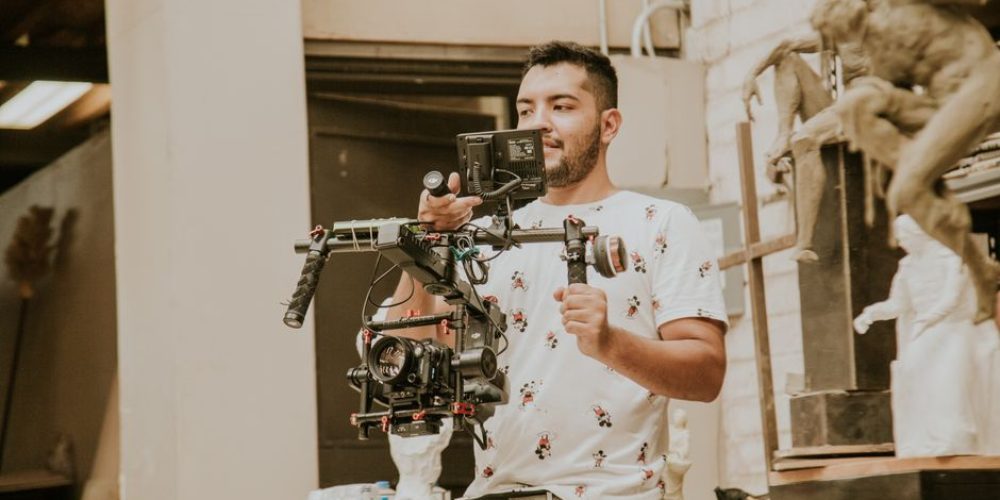
Most videography advice repeats the same fundamentals: get good light, record clean audio, use a tripod. That advice is correct—but it is not what separates working professionals from everyone else. The real gap lives in a layer of practical, habitual lifehacks that pros apply automatically, shoot after shoot, regardless of budget or location. This article covers fifteen of them. Each one is something you can put to work on your next project today.
Pre-Production Lifehacks
1. Lock Every Camera Setting Before You Hit Record
Auto-exposure, auto-white-balance, and auto-focus can all “hunt” during a take—shifting mid-clip and ruining footage that otherwise looks great. Experienced operators lock white balance, exposure, and focus before calling action. A consistent color temperature across every clip in a scene cuts color-correction time in post dramatically. Set it once, confirm it on a gray card or white surface, and do not touch it until you move to a new environment.
2. Build a Micro-Shot List, Not a Full Storyboard
Full storyboards are valuable for scripted commercials, but on fast-moving shoots a ten-item shot list on your phone delivers 80 percent of the benefit in five percent of the time. List your hero shot, your two or three supporting angles, and two b-roll safety shots. That is enough structure to keep the shoot disciplined without making you rigid when something better appears.
3. Scout With Your Phone First
Before bringing a full kit to a new location, walk it with your smartphone. Check ambient light at the exact time of day you plan to shoot, identify power outlets and background noise sources, and shoot reference photos of your preferred angles. You will arrive on shoot day with a mental map already built—saving setup time and preventing surprises.
4. Apply the 180-Degree Shutter Rule Without Thinking About It
Natural motion blur is the single fastest way to make video look like video instead of webcam footage. The rule is simple: set your shutter speed to approximately double your frame rate. Shooting at 24 fps? Use 1/50. Shooting at 60 fps for slow motion? Use 1/120. Tape a cheat sheet inside your camera bag until it becomes automatic. Once it is, your footage will have a cinematic quality that no amount of color grading can replicate after the fact.
On-Set Camera Lifehacks
5. Use Your Feet Instead of the Zoom Ring
Optical zoom—especially past 2× on a mirrorless camera—introduces camera shake that is magnified at every focal length increase. Walk closer to your subject. The image is sharper, the stabilization performs better, and the compression you get from a longer prime or zoom focal length is actually more flattering for most subjects than a wide shot from far away. Moving physically is one of those lifehacks that costs nothing and pays off every time.
6. Record a Handle-Clap Sync for Every Interview Setup
Even if you are not running dual-system audio, clapping your hands once in front of the lens at the start of each new setup gives you a visible transient waveform spike in post. When you inevitably switch recorders, memory cards, or borrow audio from a second camera, that spike is a universal sync marker that saves minutes—sometimes hours—in the edit suite.
7. Shoot More B-Roll Than You Think You Need
The single most common regret voiced by editors reviewing their own field work is not capturing enough cutaway footage. A practical rule: for every one minute of finished video you plan to deliver, collect at least three to four minutes of b-roll covering the environment, product details, action sequences, and reactions. B-roll is the editor’s paint—without it, you are painting with one color.
8. Frame Interviews With Something Moving in the Background
Static backgrounds—blank walls, plain backdrops—flatten the perceived production value of an interview immediately. When possible, position your subject so that out-of-focus background movement (people walking, foliage, a monitor displaying content) is visible in the shallow depth of field. This signals to the viewer’s eye that the image has depth, making even a modest camera setup look more cinematic than it actually is.
9. Use a Hand Signal System With Your Subject
Before rolling, establish a silent hand signal with anyone appearing on camera: a thumbs-up means “you’re great, keep going,” a spinning finger means “wrap this thought up,” and a flat palm means “cut.” On-set verbal interruptions break concentration and ruin takes. Subjects who receive silent feedback stay in a natural flow state longer, delivering better performances and requiring fewer retakes.
Audio Lifehacks
10. Record a One-Minute Room Tone Track at Every Location
Before wrapping any location—interior or exterior—ask everyone to stop moving and roll sixty seconds of pure ambient sound. This room tone track is essential for audio editors who need to fill gaps, mask edits, or create seamless transitions between dialogue clips. Without it, silence in the edit sounds like an abrupt hole. With it, your audio mix sounds polished and continuous at every cut.
11. Set Your Recorder to Peak at –12 dBFS, Not –6
Many videographers set recording levels too hot, aiming for peaks near –6 dBFS. In practice, leaving headroom to –12 dBFS protects against unexpected loud moments—a subject who suddenly raises their voice, a door slam, a crowd reaction—that would otherwise clip and distort permanently. Gaining up clean, undistorted audio in post is easy. Recovering clipped audio is often impossible.
Workflow and Post-Production Lifehacks
12. Ingest and Label Footage the Same Day You Shoot
Memory cards left unlabeled and sitting in a bag are disasters waiting to happen. On the same day as every shoot, ingest all footage into a labeled folder structure—organized by date, project name, and camera angle—before anything else. A simple naming convention such as YYYY-MM-DD_ProjectName_CameraA makes every clip instantly traceable weeks or months later without opening a single file.
13. Follow the 3-2-1 Backup Rule Before You Sleep
Professional-grade footage is irreplaceable. The 3-2-1 rule means keeping three copies of your data: one working copy on a local drive, one backup on an external drive, and one off-site copy in cloud storage. Running this process the same night as every shoot means that even a catastrophic hardware failure the next morning cannot destroy the project. Build it into your wrap checklist so it is never optional.
14. Cut a Rough Assembly Before Color or Audio Mixing
Many editors jump into color grading or audio sweetening before the edit structure is locked—then have to redo both after story revisions. The professional workflow always runs in the same sequence: picture lock first, then color, then audio mix, then titles and graphics. Skipping ahead wastes hours. A rough assembly that tells the story clearly is the single most valuable deliverable you can create before any finishing work begins.
15. Add Descriptive Markers on Your Timeline as You Edit
Color-coded timeline markers are one of the most underused tools in editing software. Use them to flag sections that need a music change, a transition decision, a client review note, or a visual effects placeholder. On any project that spans multiple edit sessions—or involves a second editor—markers turn a confusing timeline into a navigable roadmap. They add almost no time during the edit and save significant time during every revision round.
Bringing It All Together
These lifehacks share a common theme: they are habits, not one-time tricks. The most reliable professionals in video production—whether working on a brand commercial in Houston, a healthcare case study in New Orleans, or a corporate overview in Atlanta—apply these practices consistently because inconsistency is the source of most on-set problems. Stack five or six of these into your regular workflow and the compound effect on your output quality will be significant within a few shoots.
The other thing they share: none of them require new gear. Better habits beat better equipment every time. Invest in the discipline first, and the gear investments you do make will return far more value because the fundamentals underneath them are solid. For more on building a professional production workflow from the ground up, visit Tone Production.
Frequently Asked Questions
What is the most important videography lifehack for beginners?
Locking your camera settings—white balance, exposure, and focus—before rolling is the single highest-impact habit a beginner can develop. It prevents color shifts and focus hunting mid-take, which are two of the most common problems that force retakes or ruin footage in post.
How much b-roll should I shoot for a professional video?
A practical rule of thumb is three to four minutes of b-roll for every one minute of finished content you plan to deliver. Running wide, medium, and close-up versions of each b-roll subject gives editors the variety they need to cover dialogue and create smooth transitions.
What is the 180-degree shutter rule in videography?
The 180-degree shutter rule states that your shutter speed should be set to approximately double your frame rate to produce natural-looking motion blur. Shooting at 24 fps means using a shutter speed of 1/50; shooting at 60 fps means using 1/120. Following this rule gives footage a cinematic quality that feels natural to the human eye.
Why do pros record room tone at every location?
Room tone—sixty seconds of ambient silence recorded at each location—gives audio editors a natural-sounding fill for gaps between dialogue clips. Without it, any silence in the edit sounds jarring and unnatural. It takes under two minutes to capture and saves significant time during the audio mix.
What audio level should I set when recording video?
Professional videographers typically aim for dialogue peaks around –12 dBFS rather than –6 dBFS. The extra headroom protects against unexpected loud moments that would otherwise clip and distort permanently. Clean audio recorded at a conservative level is easy to boost in post; clipped audio is rarely recoverable.
How do I sync audio from multiple recorders during editing?
The simplest field method is the hand-clap sync: at the start of each setup, clap your hands clearly in front of the lens while all recorders are rolling. The clap creates a sharp visual transient and a matching audio spike that editors can align perfectly in any editing software, without needing a clapperboard.
New Orleans Video Production Company: Why 9:16 Now Lives on Landing Pages, Not Just Social
Mobile Video Production Company: 8 Go-To Crews for Brand Video in 2026
Shreveport Video Production Company: 5 Standout Crews for Brand Video in 2026